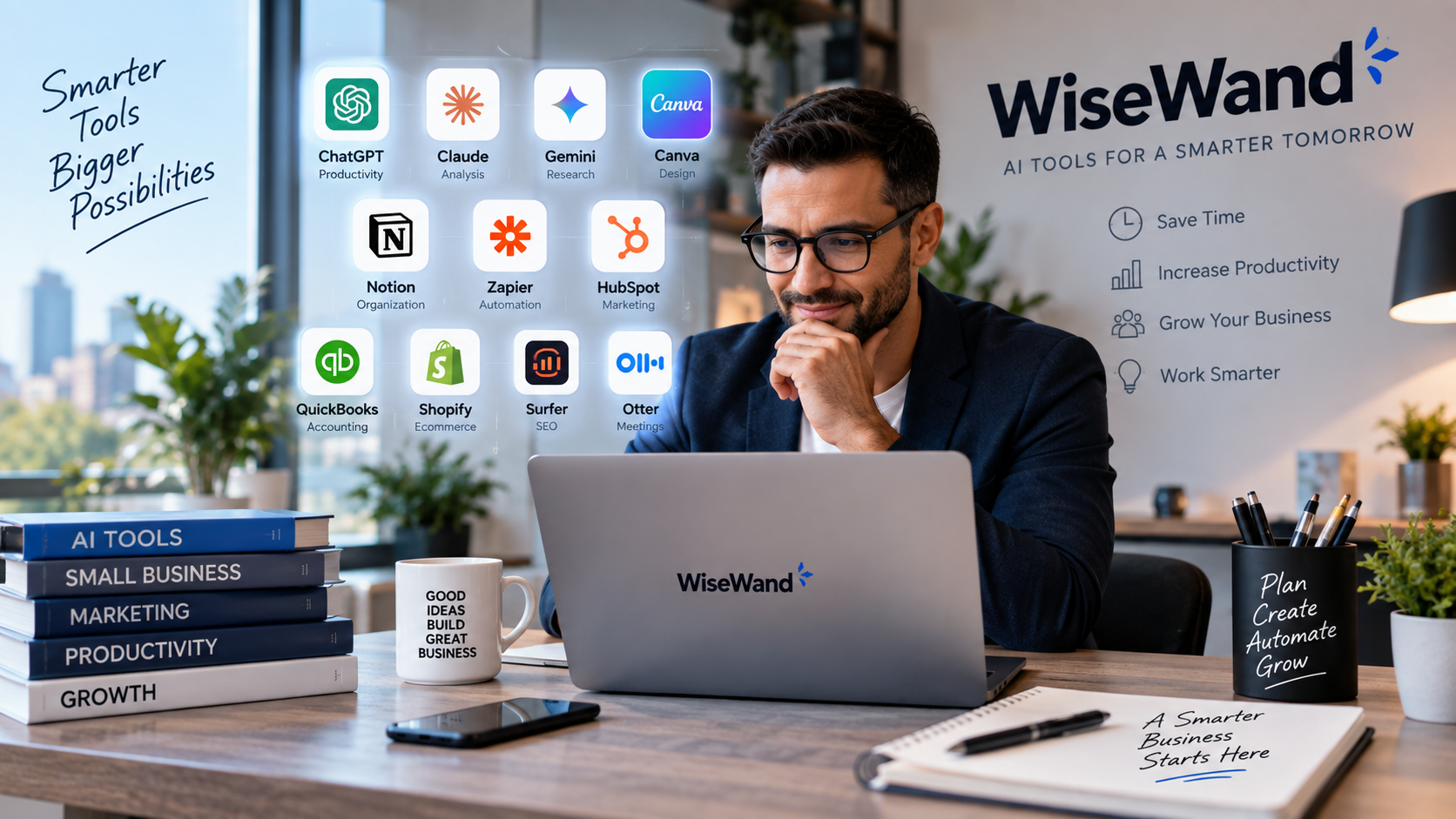
Best AI Tools for Small Businesses in 2026: 15 Tools Worth Using
15 Best AI Tools for Small Businesses in 2026: Work Smarter, Save Time and Grow
Running a small business has always required wearing more hats than there are hours in the day.
One morning you may be answering customer emails. An hour later, you are writing a proposal, checking your website traffic, preparing social media posts, reviewing invoices, researching competitors and trying to figure out what your customers actually want.
Artificial intelligence is increasingly changing that equation.
In 2026, the most useful AI tools for small businesses are no longer limited to generating a paragraph of text from a prompt. They can research information, analyze documents, prepare presentations, summarize meetings, help manage customer relationships, create marketing materials, optimize content, automate repetitive workflows and extract insights from business data.
The opportunity for a small business is significant.
But there is also a problem: there are now so many AI products that choosing the right ones can become another time-consuming task.
The goal of this guide is therefore not to list every AI platform available. It is to identify 15 AI tools that solve practical business problems, explain where each one is strongest and help you decide which type of software makes sense for your company.
The best AI tool for your business is not necessarily the most advanced one.
It is the one that removes enough repetitive work, improves enough decisions or creates enough additional value to justify the time and money required to use it.
The Best AI Tools for Small Businesses at a Glance
| AI Tool | Best For |
|---|---|
| ChatGPT | Overall business productivity |
| Claude | Documents, analysis and thoughtful writing |
| Google Gemini | Google Workspace users |
| Microsoft 365 Copilot | Microsoft 365 businesses |
| Perplexity | Research and information discovery |
| Canva AI | Design and marketing content |
| Grammarly | Business writing and communication |
| Notion AI | Knowledge management and team organization |
| Zapier | AI automation |
| HubSpot Breeze | Marketing, sales and CRM |
| QuickBooks AI | Accounting and financial insights |
| Shopify Sidekick | Ecommerce businesses |
| Jasper | Marketing teams and brand content |
| Surfer | SEO content optimization |
| Otter | Meetings, transcripts and conversation intelligence |
Before choosing several subscriptions, understand something important: most small businesses do not need all 15 tools.
A good AI stack may contain only three or four.
For example, a service business could use ChatGPT for general work, Canva for creative assets, QuickBooks for finances and Zapier for automation.
An ecommerce company might get more value from Shopify Sidekick, Canva, ChatGPT and an SEO platform.
The right combination depends on where your company currently loses the most time.
1. ChatGPT — Best Overall AI Tool for Small Businesses
ChatGPT has developed from a conversational AI assistant into a broader work platform that can support research, writing, analysis, coding, document work and business workflows.
For a small company that wants to start using artificial intelligence without immediately buying a specialized tool for every department, ChatGPT is one of the most versatile places to begin.
Businesses can use it for tasks such as:
- drafting emails;
- brainstorming marketing campaigns;
- preparing meeting agendas;
- summarizing documents;
- analyzing spreadsheets;
- writing product descriptions;
- creating customer FAQ drafts;
- researching business questions;
- preparing presentations;
- improving existing copy;
- generating ideas;
- coding and troubleshooting;
- comparing options;
- structuring reports.
ChatGPT Business is designed around a shared workspace with centralized administration and access to business-oriented features. OpenAI’s current Business offering also includes capabilities across ChatGPT, Work and Codex, along with administrative controls and connections to business applications.
Why ChatGPT works particularly well for small businesses
The biggest advantage is breadth.
A company does not need to know exactly which specialized AI application it needs before getting started. The same interface can assist the owner, marketer, salesperson, administrator or developer.
A restaurant could use it differently from a marketing agency.
A property manager could use it differently from an online store.
A consultant might use it to structure a proposal in the morning, analyze a spreadsheet in the afternoon and turn meeting notes into a follow-up plan before leaving work.
That flexibility is valuable when a business has a small team.
Where ChatGPT may not be enough
General-purpose AI is not automatically a replacement for software designed around a specific workflow.
An accounting platform understands financial records differently.
A CRM understands customer data differently.
An SEO platform may provide search-specific measurements a general AI assistant does not inherently possess.
The smartest approach is often to make ChatGPT the general AI layer of the business and add specialized tools only where they provide clear additional value.
Best for
Small businesses that want one versatile AI assistant capable of supporting many departments.
2. Claude — Best for Long Documents, Analysis and Thoughtful Writing
Claude is another powerful general-purpose AI assistant, but many business users will find its strengths especially relevant when working with longer documents, knowledge bases, research material and complex written tasks.
Anthropic’s paid Claude plans support Projects, knowledge bases and collaborative features. Claude Projects can hold documents, instructions and contextual information that the AI can use across focused conversations.
This makes Claude useful for businesses that regularly deal with:
- long reports;
- proposals;
- policies;
- research documents;
- transcripts;
- contracts that need non-legal summarization;
- technical documentation;
- strategic plans;
- large amounts of source material.
Imagine a consulting company preparing a proposal.
Instead of simply asking an AI to “write a proposal,” the team can provide information about the client, previous proposals, project requirements, research and company guidelines.
The resulting work has much more context.
Claude for business knowledge
Projects can also be useful for separating different parts of a business.
You might maintain one project for:
Marketing
Another for:
Customer support
Another for:
Product documentation
Another for:
Business strategy
The key advantage is not simply producing more text. It is giving the AI better context.
Claude and current information
Claude for Work can also use web search when enabled by the organization, allowing responses to incorporate current web information with citations.
Who should choose Claude?
Claude becomes particularly compelling when your work involves reading, reasoning and writing from substantial source material.
A freelancer writing short social posts may not exploit its strongest advantages.
A consulting team analyzing dozens of documents might.
Best for
Consultants, researchers, agencies and businesses handling large documents or complex written work.
3. Google Gemini — Best AI Tool for Google Workspace Users
For companies already working heavily inside Gmail, Google Drive, Docs, Sheets and Slides, Gemini deserves serious consideration because the AI can be integrated into an environment employees already understand.
This matters more than it initially appears.
One of the biggest barriers to AI adoption inside a small company is not model quality.
It is workflow friction.
Employees may resist a system that requires exporting information, moving between five browser tabs, copying content into another application and then bringing everything back again.
AI becomes more useful when it appears where the work already happens.
Google has continued expanding Gemini across Workspace. In September 2026, Google described new cross-application capabilities allowing Gemini to work with context from applications such as Gmail, Drive, Docs, Slides and Chat, depending on enabled sources and permissions.
Practical small-business uses
Gemini can help with workflows involving:
Gmail
Draft responses, summarize long conversations or work from email context.
Google Docs
Create drafts, restructure material or summarize documents.
Google Sheets
Assist with understanding and organizing information.
Google Slides
Help transform information into presentation content.
Google Drive
Work with relevant stored documents and information.
Consider a small sales company that operates almost entirely through Google Workspace.
The employees already have their correspondence, spreadsheets, presentations and documents inside Google’s ecosystem.
Integrating AI into that existing workflow can be more valuable than introducing another standalone application.
Best for
Companies already deeply committed to Google Workspace.
4. Microsoft 365 Copilot — Best for Businesses Using Word, Excel and Outlook
For organizations operating primarily through Microsoft software, Microsoft 365 Copilot takes a similar approach: put AI directly inside the productivity applications employees already use.
In 2026 Microsoft expanded Copilot-focused business plans aimed specifically at smaller organizations.
Microsoft currently integrates Copilot into applications including Word, Excel, PowerPoint, Outlook and Teams, depending on the selected business plan.
That can create very practical use cases.
In Word
Employees can work on reports, proposals, drafts and business documents.
In Outlook
AI can assist with the constant flow of professional communication.
In Excel
It can support research and analysis around business data.
In PowerPoint
Teams can accelerate presentation development.
In Teams
Meeting and collaboration workflows can become easier to manage.
Microsoft’s advantage is therefore not simply having an AI chatbot.
It is the ability to incorporate artificial intelligence into an existing Microsoft business environment.
A useful example
Imagine a ten-person company.
Its documents are already in Word.
Financial analysis is performed in Excel.
Presentations use PowerPoint.
Emails arrive in Outlook.
Internal meetings happen in Teams.
Introducing a completely separate AI system could create another layer of software to manage.
Copilot attempts to reduce that friction by placing AI inside the software the business already uses.
When Microsoft 365 Copilot makes the most sense
If only one employee occasionally uses Word, the value proposition may be weaker.
If your entire organization spends the day inside Microsoft’s ecosystem, it becomes considerably more interesting.
Best for
Small and medium businesses built around Microsoft 365.
5. Perplexity — Best AI Tool for Business Research
Traditional search often requires a familiar process:
Search.
Open several results.
Ignore ads.
Read multiple pages.
Compare conflicting claims.
Open another search.
Repeat.
Perplexity approaches research differently by combining search and AI-generated answers while surfacing sources that can be investigated further.
Perplexity Pro currently emphasizes richer citation support, file analysis and more advanced research capabilities, while its Enterprise offering is aimed at organizations needing current answers with stronger business controls.
For small businesses, this can be useful for:
- competitor research;
- market research;
- industry trends;
- product research;
- early-stage content research;
- vendor comparisons;
- technology research;
- understanding unfamiliar topics.
Why research deserves its own AI tool
Research and content generation are related, but they are not the same thing.
If you ask an AI assistant to write an article immediately, you risk moving from question to finished content too quickly.
Good business research often requires examining evidence first.
Perplexity can be useful earlier in that process.
You investigate.
You identify credible material.
You understand the landscape.
Only then do you decide what the information means for your business.
The important limitation
Never treat an AI-generated research answer as automatically correct.
Sources still need to be opened when the decision matters.
This is especially important for financial, legal, medical, regulatory or high-value business decisions.
AI should accelerate investigation—not eliminate verification.
Best for
Entrepreneurs, marketers and business owners who frequently research markets, competitors and unfamiliar subjects.
6. Canva AI — Best AI Tool for Design and Marketing Content
Many small businesses need constant visual content but cannot employ a designer for every Instagram post, presentation, advertisement, promotion, email graphic or website banner.
This is precisely why Canva has become so useful for small teams.
Its AI capabilities increasingly extend beyond simple templates.
Canva AI 2.0, announced in 2026, is designed around conversational creative workflows and editable generated outputs. Canva has also expanded AI across designs, images, data, Sheets, branded content and scaled content production.
A small business could use Canva for:
- social media graphics;
- Facebook covers;
- Instagram posts;
- presentations;
- advertising creatives;
- flyers;
- business cards;
- product visuals;
- short videos;
- website graphics;
- promotional campaigns.
Why Canva AI is especially valuable for small companies
It reduces the gap between having an idea and producing something presentable.
A restaurant owner can create a weekend promotion.
A real-estate business can prepare property marketing.
An ecommerce store can make campaign graphics.
A consultant can produce a professional presentation.
None of those tasks necessarily requires advanced graphic design skills.
AI does not remove the need for visual judgment
There is one danger.
Making graphics easier to produce can encourage businesses to produce too many inconsistent graphics.
Your brand still needs:
- consistent typography;
- recognizable colours;
- clean spacing;
- quality imagery;
- consistent logo treatment;
- a recognizable visual identity.
The goal is not to create more designs.
It is to create the right designs faster.
Best for
Small businesses that regularly create marketing visuals but do not have a large design department.
7. Grammarly — Best for Everyday Business Writing
Not every AI tool needs to transform your entire company.
Some of the most valuable tools improve hundreds of small interactions.
Think about how much business communication happens through writing:
Emails.
Proposals.
Customer support.
Documents.
Website copy.
Messages.
Presentations.
Internal communications.
One poorly written sentence probably does not damage a company.
Hundreds of unclear messages eventually can.
Grammarly combines writing assistance with generative AI to help users improve and create text within everyday workflows. Grammarly’s business AI features are designed to account for context such as the user’s role and writing environment.
Where Grammarly can help
It is useful when employees already know what they want to say but need help saying it more clearly.
For example:
Original:
We need you to send it soon because we need this and without it we cannot finish the project as planned.
A writing assistant might help make the message more concise, professional and easier to understand.
That improvement appears small.
Multiply it across sales messages, client emails and internal communication, and the impact becomes larger.
Grammarly versus general AI assistants
You can certainly ask general AI platforms to rewrite an email.
Grammarly’s strength is that writing assistance can appear directly in the places where writing happens, reducing the need for constant copy-and-paste workflows.
Best for
Teams that communicate heavily through email, documents and written customer interactions.
8. Notion AI — Best for Business Knowledge and Organization
A small business does not usually suffer from a lack of information.
It suffers from information being everywhere.
Important instructions are in email.
A process is in someone’s head.
Meeting notes are buried in another document.
A password procedure is in an old message.
A project plan lives in a spreadsheet.
Customer feedback is scattered across multiple platforms.
As a company grows, this becomes expensive.
Notion is popular for organizing company knowledge, projects and documentation, and Notion AI adds AI capabilities directly to that information environment.
Its current AI capabilities include workspace search, writing assistance, meeting notes, research, agents and connected knowledge sources.
Practical business use
A business can create a structured workspace containing:
Standard operating procedures
Marketing plans
Meeting notes
Project documentation
Editorial calendars
Client information
Product research
Internal guides
The AI layer can then help employees work with that information.
Why this becomes more valuable as a company grows
A founder may initially know almost everything.
Where documents are.
How customers are handled.
How prices are calculated.
How a supplier works.
What happened with an old project.
Then the company hires people.
Suddenly those answers need to exist somewhere accessible.
A knowledge system becomes part of the business infrastructure.
Best for
Small teams that want AI combined with organized company knowledge.
9. Zapier — Best AI Tool for Automation
Generating content is useful.
Automating work is potentially more valuable.
Consider a lead-generation process.
A customer completes a form.
Someone copies the information.
Another employee creates a CRM entry.
A confirmation email is sent.
A sales representative receives a notification.
A follow-up task is created.
None of those actions is individually difficult.
The problem is repetition.
Zapier is designed to connect applications and automate workflows, and it now incorporates AI inside those automations.
Zapier’s current AI tools allow businesses to combine conventional rule-based automation with AI steps where judgment or content generation is actually useful.
This distinction matters.
Not every workflow needs artificial intelligence.
If the rule is simply:
When someone submits Form A, add the information to Spreadsheet B,
traditional automation may be enough.
AI becomes valuable when the workflow requires interpretation.
For example:
Read the incoming inquiry, identify whether the person wants sales or support, summarize the request and route it to the correct employee.
That requires more than a simple trigger.
High-value automation opportunities
Small businesses should look for tasks that are:
repetitive;
predictable;
frequent;
time-consuming;
and
low-risk when automated correctly.
Those are excellent candidates.
Best for
Businesses losing significant time to repetitive work between different applications.
10. HubSpot Breeze — Best AI Tool for Marketing, Sales and CRM
AI becomes more powerful when it has relevant business context.
A generic assistant knows what you tell it.
A CRM potentially knows:
Who contacted you.
What they requested.
Whether they opened an email.
Where they are in the sales process.
What interactions have already occurred.
That context explains why AI integrated into customer relationship management is so interesting.
HubSpot’s Breeze AI is integrated across its customer platform and is designed to support marketing, sales and service workflows. Current Breeze capabilities include content creation, sales-related workflows, customer support and AI assistance using CRM context.
Potential uses
A small company could use AI within its CRM environment to support:
- marketing emails;
- sales outreach;
- content creation;
- customer service;
- lead research;
- sales reporting;
- website content;
- campaign work.
Why CRM context matters
Suppose you ask a generic AI:
What should I say to this prospect?
It knows almost nothing.
Now imagine an AI operating with permitted access to relevant CRM data:
The prospect downloaded a guide.
They visited a pricing page.
A salesperson contacted them.
They previously asked a specific question.
The AI has much more context from which to assist.
That is the broader direction of business AI: less isolated prompting and more context-aware assistance.
Best for
Companies already using—or planning to build around—a structured CRM and inbound marketing system.
11. QuickBooks AI — Best for Accounting and Financial Insights
Accounting is one of the most promising areas for business AI because small companies generate a large amount of structured financial information.
Revenue.
Invoices.
Customers.
Expenses.
Payments.
Taxes.
Cash flow.
But collecting data is not the same as understanding it.
Intuit has introduced AI capabilities in QuickBooks under Intuit Intelligence. The system combines AI and business intelligence with company accounting and payment data to provide contextual answers and assist with financial workflows.
QuickBooks Canada also lists AI capabilities covering areas such as accounting, sales tax, customer workflows and financial analysis, depending on plan and availability.
Why accounting AI is different
A generic AI may explain what cash flow means.
Accounting software can potentially work from actual business data.
That’s much more useful.
A business owner wants answers to questions such as:
Why did expenses increase?
Which invoices remain unpaid?
How is revenue changing?
What is affecting profitability?
What does cash flow currently look like?
When AI can operate on trustworthy business data, the conversation becomes far more relevant.
Important caution
AI should not replace professional accounting, tax or financial advice where expert judgment is required.
Automating bookkeeping support is not the same thing as handing total financial control to a machine.
Use AI to understand and organize information.
Keep qualified humans involved in important decisions.
Best for
Small businesses already managing finances with QuickBooks.
12. Shopify Sidekick — Best AI Tool for Ecommerce Businesses
Running an ecommerce store involves an enormous number of small tasks.
Product descriptions need updating.
Images need work.
Collections need organizing.
Promotions need configuring.
Customers generate questions.
Store data needs interpretation.
Marketing assets constantly need to be created.
Shopify has integrated AI directly into its commerce environment through Shopify Magic and Sidekick.
Sidekick can work from within the Shopify admin using natural-language requests for tasks such as analyzing data, managing products, creating content and helping perform store-related work. Shopify also says changes are presented for review before application.
Shopify Magic also supports AI-assisted media creation and editing inside the platform.
Why ecommerce-specific AI matters
Imagine asking:
Which products need more attention this month?
A general chatbot cannot answer without receiving the relevant data.
An AI working inside the commerce platform can operate with more relevant context.
The same applies to:
- inventory;
- customers;
- products;
- orders;
- store performance;
- promotions.
Who benefits most?
If you do not use Shopify, Sidekick obviously should not drive your AI strategy.
But for a business already operating its store on Shopify, using AI inside the commerce platform can reduce the need to move information between multiple applications.
Best for
Shopify merchants and small ecommerce businesses.
13. Jasper — Best AI Tool for Marketing Teams and Brand Consistency
AI writing becomes more difficult when several employees are producing marketing content.
The challenge is no longer:
Can AI write this?
The challenge becomes:
Can AI write this while still sounding like our company?
That is where Jasper’s positioning becomes interesting.
Jasper has increasingly focused on marketing workflows, AI agents, content pipelines and systems designed to maintain brand context.
Its Brand Voice system allows organizations to provide writing examples so the platform can learn characteristics such as tone and style. Jasper IQ extends that concept with brand voice, audiences, style guidelines, knowledge and visual standards.
Why brand control matters
Imagine ten people creating content using ten different AI tools.
One article sounds formal.
Another sounds playful.
Emails use different terminology.
Product descriptions contradict one another.
Social posts seem as if they come from different companies.
The business creates more content but weakens its identity.
AI at scale requires governance.
Jasper’s strongest use case
For a solo entrepreneur who writes two posts a month, a simpler general AI assistant may be sufficient.
For a marketing organization producing substantial quantities of material across campaigns and channels, brand consistency becomes much more valuable.
Best for
Marketing teams that need to create substantial amounts of branded content consistently.
14. Surfer — Best AI Tool for SEO Content Optimization
Producing an article and producing an article designed for organic search are not necessarily the same task.
Search-focused content requires understanding:
- search intent;
- topic coverage;
- competing pages;
- relevant entities;
- page structure;
- content gaps;
- on-page optimization.
Surfer has long focused on this part of the workflow.
Its Content Editor now incorporates AI-assisted workflows along with competitive and brand context. In 2026 Surfer also expanded its AI-oriented features, including AI search guidance and integrations for agent-based workflows.
What Surfer should and should not do
The wrong way to use an SEO optimization tool is:
Score says 82 → add more keywords → score says 91 → publish.
That can produce awkward content.
The better approach is to use SEO recommendations as evidence.
Ask:
What important subtopics did competing pages cover?
What questions does the searcher expect answered?
Is my page missing a useful section?
Is my article clearer than the alternatives?
Have I gone deeper where depth is actually useful?
SEO software should support editorial judgment, not replace it.
AI search changes SEO—but does not eliminate quality
In 2026, businesses increasingly care about visibility not only in traditional Google results but also inside AI-generated answers.
That makes content structure, authority, clarity and usefulness even more important.
Publishing hundreds of weak AI articles is unlikely to build a strong long-term brand.
Best for
Publishers, bloggers, affiliate sites, agencies and businesses investing seriously in organic search.
15. Otter — Best AI Tool for Meetings and Transcription
Meetings create an unusual business problem.
A lot of valuable information is spoken once and then partially forgotten.
Someone agrees to call a customer.
Someone else suggests changing the website.
A deadline is discussed.
An objection comes up.
A useful idea appears.
Then everyone leaves.
Traditional meeting notes depend on someone remembering to capture everything while simultaneously participating in the conversation.
AI meeting tools aim to solve this problem.
Otter has evolved beyond basic transcription toward AI meeting agents and real-time assistance. In 2026 it introduced additional agent-oriented features designed around meeting participation, coaching and follow-up workflows.
Useful situations
Otter can make sense for:
Sales calls
Capture customer objections and important details.
Team meetings
Preserve decisions and action items.
Interviews
Reduce manual note-taking.
Client calls
Create a useful record of what was discussed.
Project meetings
Track decisions and next steps.
The bigger benefit: organizational memory
The real value is not simply having a transcript.
Thousands of lines of dialogue are not useful by themselves.
The value comes from transforming conversations into:
- summaries;
- decisions;
- tasks;
- searchable information;
- follow-up material.
Privacy matters
Always consider whether recording is appropriate, inform participants where required and follow applicable privacy and consent rules.
This is especially important with customer calls, employee conversations or sensitive information.
Best for
Sales teams, agencies, consultants and businesses that spend significant time in meetings.
Which AI Tool Is Best for a Small Business?
There is no universal answer because small businesses do not all have the same bottleneck.
The easier question is:
What part of your business currently consumes too much time?
If your answer is:
“Everything.”
Start with ChatGPT or another strong general-purpose AI assistant.
Learn where AI genuinely saves time before buying several specialized subscriptions.
“Research.”
Consider Perplexity, ChatGPT or Claude.
“Writing and documents.”
Consider ChatGPT, Claude or Grammarly.
“Graphic design.”
Consider Canva AI.
“Repetitive admin.”
Look closely at Zapier.
“Marketing and sales.”
Consider HubSpot Breeze or Jasper depending on the problem.
“Accounting.”
Look at the AI capabilities already built into QuickBooks.
“Running my Shopify store.”
Explore Shopify Sidekick before buying several external ecommerce AI tools.
“SEO.”
Consider Surfer alongside a general-purpose AI assistant.
“Meetings.”
Consider Otter.
“Our company information is disorganized.”
Notion AI may solve a bigger problem than another writing assistant.
The correct AI stack begins with your bottleneck—not with whichever product is receiving the most attention online.
How We Evaluated the Best AI Tools for Small Businesses
For a small business, raw AI capability is not enough.
A tool may be impressive technically and still be a poor business purchase.
We focused on several practical factors.
1. Real Business Utility
Can the software perform tasks businesses actually encounter?
Creating another funny image is interesting.
Reducing three hours of repetitive administration every week is economically useful.
The second matters more.
2. Ease of Use
Small businesses rarely have dedicated AI implementation departments.
A useful tool should not require six weeks of technical setup before anyone benefits from it.
The easier employees can integrate AI into existing work, the higher the likelihood it will actually be used.
3. Workflow Integration
The strongest business AI is increasingly moving inside existing workflows.
AI inside your CRM.
AI inside your accounting platform.
AI inside your ecommerce system.
AI inside your office software.
AI inside your knowledge base.
Context dramatically increases usefulness.
4. Time Savings
One of the simplest ways to estimate the value of an AI tool is to measure the time saved.
Suppose software costs $50 per month.
If it reliably saves an employee five hours per month and that employee’s time is worth substantially more than $10 an hour, the economics may already make sense.
But the time savings need to be real.
Buying a tool and barely using it creates no return.
5. Quality of Output
Speed without quality has little value.
A business that generates marketing content twice as fast but spends the same amount of time fixing errors has not actually gained much.
AI should reduce total work—not simply move work from creation to correction.
6. Ability to Work With Business Context
Generic AI is useful.
Contextual AI is often more useful.
A customer-support assistant that understands your policies is more useful than one that does not.
A marketing assistant that understands your audience is better than one producing generic copy.
An accounting AI connected to actual financial data can answer more meaningful questions than a generic chatbot discussing accounting theory.
Context is becoming one of the major differences between consumer AI and serious business AI.
How Much Should a Small Business Spend on AI?
There is no ideal monthly budget.
A company earning $10,000 per month and a company earning $2 million per month should not build the same software stack.
The best method is to evaluate AI based on return.
Consider four questions for each subscription:
How frequently do we use it?
How much time does it save?
Does it improve revenue, quality or customer experience?
Can another tool we already pay for perform the same task?
That last question is increasingly important.
Software platforms are adding AI features rapidly.
A business may discover that its existing:
CRM,
accounting platform,
office suite,
design software,
ecommerce platform
or
project-management tool
already contains useful AI capabilities.
Before buying another subscription, investigate what you already have.
Do Not Buy 15 AI Tools at Once
AI software has created a new form of subscription overload.
A business starts with one $20 application.
Then another.
Then a $49 SEO tool.
Then a $30 meeting tool.
Then an automation platform.
Then a design subscription.
Then a research tool.
Individually, each purchase seems inexpensive.
Collectively, the company may suddenly be spending hundreds or thousands of dollars every month.
Worse, employees may not know which application to use.
Start smaller.
A practical first AI stack might contain:
One general AI assistant
For research, writing and everyday tasks.
One specialized tool for your biggest bottleneck
Perhaps accounting, design, CRM, SEO or ecommerce.
One automation platform
Only once you have repetitive processes worth automating.
Then measure usage.
Add another tool because you need it—not because it exists.
The Biggest Mistake Small Businesses Make With AI
The biggest mistake is probably not choosing the wrong model.
It is applying AI to a bad process.
Imagine a company has an inefficient lead-handling system.
Customer inquiries arrive through several channels.
Nobody owns follow-up.
Information is not entered consistently.
Leads disappear.
Adding AI does not automatically solve the underlying problem.
First define the process:
- Where does the lead arrive?
- What information must be collected?
- Who receives it?
- When should the person respond?
- Where is the interaction recorded?
- What happens if there is no response?
Then automate or enhance the process with AI.
Technology works better when the workflow itself makes sense.
Where Small Businesses Can Get the Fastest ROI From AI
For many businesses, the fastest return will come from ordinary tasks rather than futuristic projects.
Draft common responses.
Summarize long threads.
Improve clarity.
Personalize outreach.
Marketing
Generate campaign ideas.
Create first drafts.
Repurpose existing content.
Prepare social media assets.
Research audiences.
Customer Service
Summarize support conversations.
Categorize inquiries.
Draft responses.
Identify recurring problems.
Meetings
Create transcripts.
Summarize discussions.
Extract decisions.
Generate action items.
Administrative Work
Move information between applications.
Categorize documents.
Create tasks.
Prepare routine reports.
Research
Analyze competitors.
Research markets.
Compare software.
Understand industries.
Gather preliminary information faster.
Where AI Still Needs Human Review
Businesses should resist the idea that every task can now operate without oversight.
AI systems can make mistakes.
They can misunderstand instructions.
They can create plausible but incorrect statements.
They can miss important context.
They can generate inappropriate wording.
Human review remains particularly important when working with:
- financial decisions;
- taxes;
- legal documents;
- medical information;
- contracts;
- sensitive customer data;
- major business decisions;
- public claims about other companies;
- important factual content.
A useful principle is simple:
The greater the consequence of an error, the stronger the human review should be.
AI can prepare.
AI can analyze.
AI can organize.
AI can suggest.
Humans remain responsible for important decisions.
How to Introduce AI Into a Small Business
Do not begin with:
“We need an AI strategy.”
Begin with:
“What repetitive problem should we eliminate first?”
Choose one workflow.
For example:
Customer inquiries.
Document how the process works today.
Measure approximately how long it takes.
Introduce one AI improvement.
Run it for several weeks.
Measure again.
Did response time improve?
Did quality improve?
Did employees save time?
Did customers notice a positive difference?
If yes, expand.
Then move to the next workflow.
This approach is slower than subscribing to ten platforms in one afternoon.
It is also far more likely to produce meaningful business results.
AI Tools for Small Businesses: Frequently Asked Questions
What is the best AI tool for small businesses in 2026?
For businesses needing a general-purpose assistant, ChatGPT is one of the broadest starting points because it can assist with writing, research, analysis, coding, documents and numerous everyday business tasks.
However, specialized businesses may get more immediate value from tools integrated directly into their existing software.
A Shopify merchant may benefit greatly from Shopify Sidekick.
A Microsoft-centric company may prefer Microsoft 365 Copilot.
A company with heavy CRM requirements may benefit from HubSpot Breeze.
The best AI tool depends on the task you are trying to improve.
What are the best free AI tools for small businesses?
Many AI platforms provide some level of free access, trial access or AI capabilities bundled with other products, although limits and availability change frequently.
Rather than choosing software only because it is free, evaluate whether it solves a recurring business problem.
A free application that saves no time is less valuable than a paid application that saves ten hours every month.
Can AI help a small business save money?
Yes, particularly when it reduces repetitive manual work or improves employee productivity.
The largest opportunities often include:
content creation,
customer service,
administrative automation,
research,
meetings,
data analysis
and
marketing production.
The business should still measure the actual return rather than assuming every AI subscription creates savings.
Can AI replace employees in a small business?
AI is generally more useful when viewed as a way to change tasks rather than automatically replace entire jobs.
A salesperson may spend less time writing routine emails and more time talking to qualified prospects.
A marketer may spend less time producing first drafts and more time developing strategy.
An administrator may spend less time copying information between systems.
The more realistic near-term question is often:
Which tasks can AI reduce so employees can spend more time on higher-value work?
What is the best AI tool for marketing?
It depends on the marketing workflow.
ChatGPT can handle broad marketing work.
Jasper focuses more specifically on marketing operations and brand consistency.
Canva is strong for visual creation.
HubSpot Breeze integrates AI into CRM, marketing and sales workflows.
Surfer focuses more heavily on SEO-oriented content.
A marketing team may therefore use multiple AI systems for different stages rather than relying entirely on one tool.
What is the best AI tool for content creation?
ChatGPT and Claude are strong general-purpose choices.
Jasper becomes interesting when brand governance and scaled marketing production are priorities.
Canva is particularly valuable for visual content.
Surfer can help when search optimization is a major part of the content strategy.
The strongest workflow often combines human subject knowledge, AI assistance and editorial review.
What is the best AI tool for SEO?
For dedicated on-page SEO and content optimization, Surfer is one of the specialized tools worth considering.
General AI assistants can also help with brainstorming, research, outlines, content analysis and technical explanations.
However, an AI-generated article should not be published simply because it includes keywords.
Search-focused content still needs original value, accuracy, useful structure and strong editorial judgment.
What is the best AI tool for ecommerce?
For stores operating on Shopify, Sidekick is particularly interesting because it works directly within Shopify and understands the context of the store.
Other useful ecommerce tools can include ChatGPT for general business tasks, Canva for creative production and automation platforms for connecting store workflows.
What is the best AI tool for accounting?
Businesses already using QuickBooks should examine the AI capabilities available within their version of the platform before purchasing a separate AI finance tool.
Accounting is an area where integration with actual business data is particularly important.
AI assistance should complement—not replace—professional accounting and tax expertise where required.
Are AI tools safe for confidential business information?
It depends on the platform, subscription and configuration.
Businesses should investigate:
- how data is stored;
- whether prompts are used for model training;
- administrator controls;
- data-retention settings;
- account permissions;
- authentication options;
- compliance requirements;
- employee access.
A consumer AI account and an enterprise-oriented workspace may have very different data controls.
Never assume sensitive information is safe simply because a product describes itself as AI for business.
Final Thoughts: The Best AI Stack Is the One Your Business Actually Uses
The AI market is moving extraordinarily quickly.
New models appear.
Existing products add features.
Prices change.
Platforms that once performed a single task begin absorbing entire workflows.
That makes predicting which individual tool will dominate every category difficult.
But one principle is unlikely to change:
Small businesses benefit most from AI when it solves a specific business problem.
Do not begin by collecting software.
Begin by identifying wasted time.
Look for repetitive work.
Look for information employees repeatedly search for.
Look for content that takes too long to produce.
Look for customer questions that appear again and again.
Look for manual steps between applications.
Look for meetings where important information gets lost.
Then choose the AI tool capable of improving that process.
For general productivity, ChatGPT is a strong starting point.
For document-heavy analysis, Claude deserves consideration.
For businesses already working inside Google’s ecosystem, Gemini offers a natural path.
For Microsoft-centric companies, Microsoft 365 Copilot can integrate AI into familiar tools.
For research, Perplexity is compelling.
For creative work, Canva AI remains highly practical.
For communication, Grammarly can improve everyday writing.
For company knowledge, Notion AI offers a combination of organization and intelligence.
For automation, Zapier can connect AI with actual business processes.
For CRM-driven growth, HubSpot Breeze brings AI closer to customers and sales data.
For financial workflows, QuickBooks’ AI capabilities can make existing accounting information easier to work with.
For ecommerce, Shopify Sidekick brings AI directly into store operations.
For marketing organizations, Jasper focuses on scaled, on-brand production.
For organic search, Surfer adds specialized SEO intelligence.
And for meeting-heavy businesses, Otter can transform conversations into usable business information.
The most successful small businesses in the AI era will probably not be those with the longest list of AI subscriptions.
They will be the ones that understand where artificial intelligence actually creates measurable value—and where human judgment still matters most.